Built isn't live
I redesigned viaSocket's workflow canvas so builders can see what's next, what's live and whether it's working. viaSocket is an automation platform where users can automate their manual work.
Get every workflow a user starts from draft to live
Product designer and researcher
The founder and developers
Existing MUI components only
How a workflow works
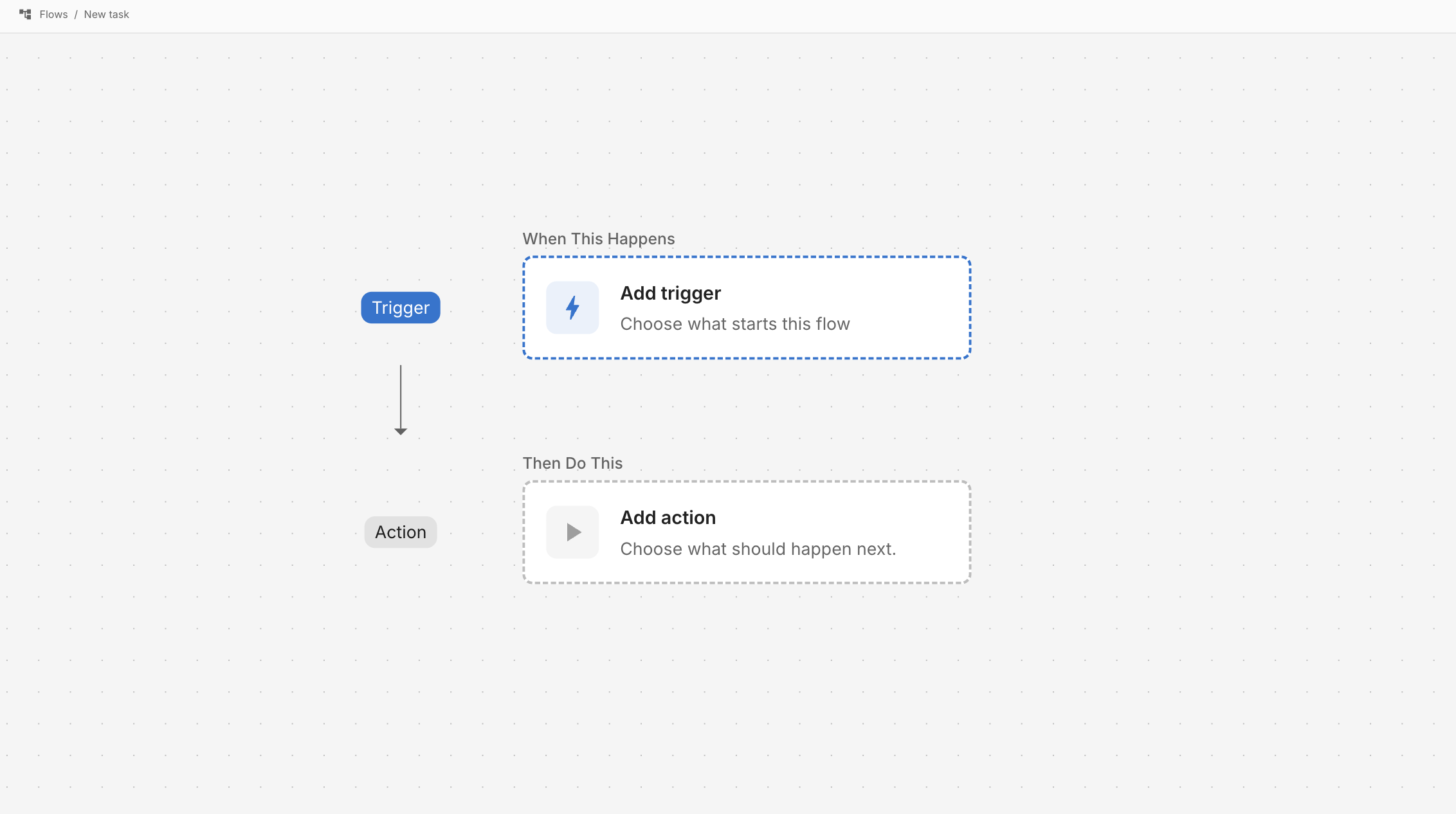
Every workflow takes three steps: pick a trigger, add an action, then make it live. On the old canvas all three were there, but nothing showed where to start or where the workflow was heading.
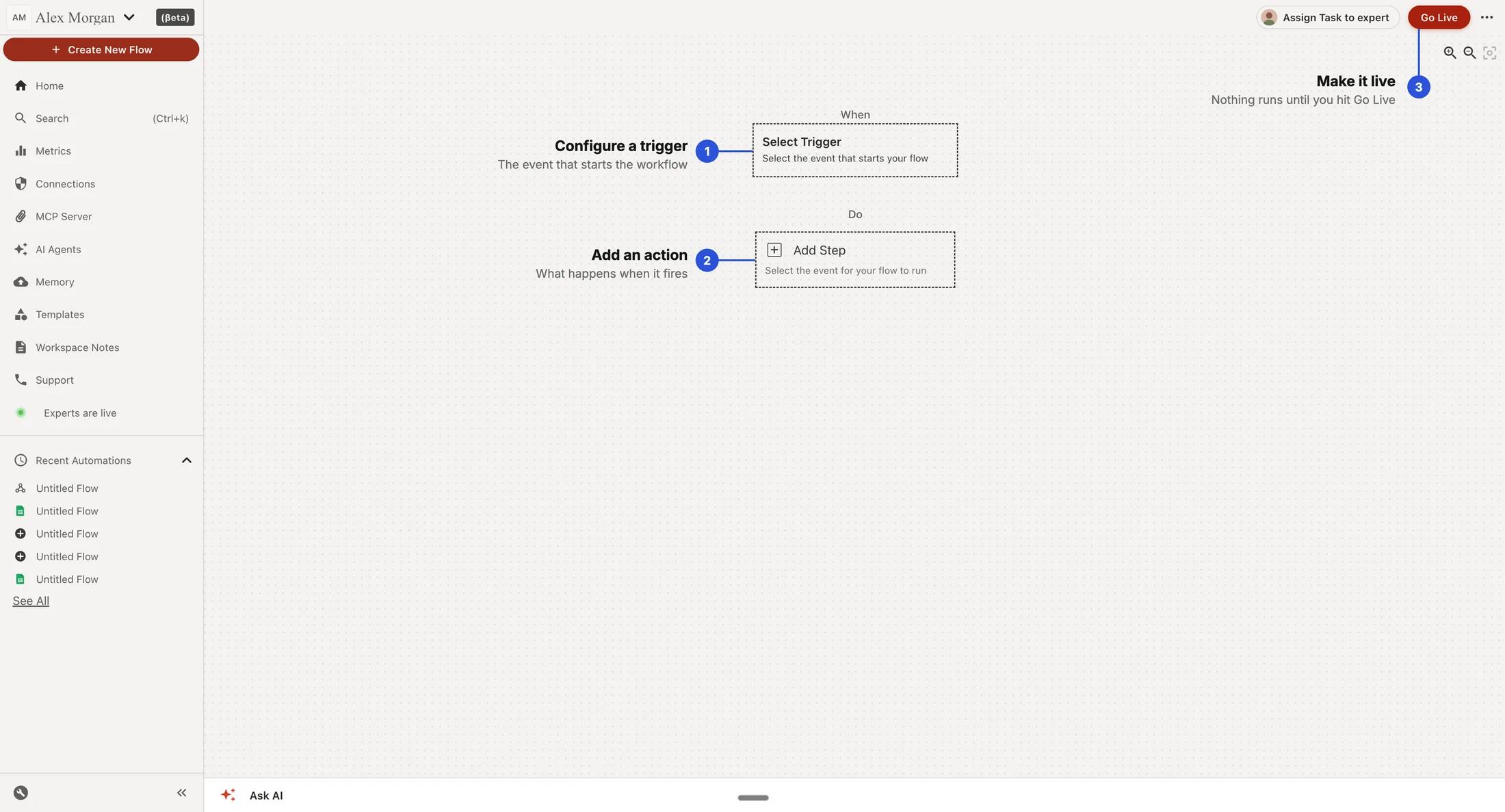
The cost of a workflow that never runs
A workflow that isn't live never shows users what viaSocket can do, and that's a missed chance to turn them into customers.
The pattern
I watched people build their first workflow in hackathons, workshops and user interviews, and the same pattern kept showing up. Five moments where people got stuck, and every time, the answer was already on the canvas. They just missed it.
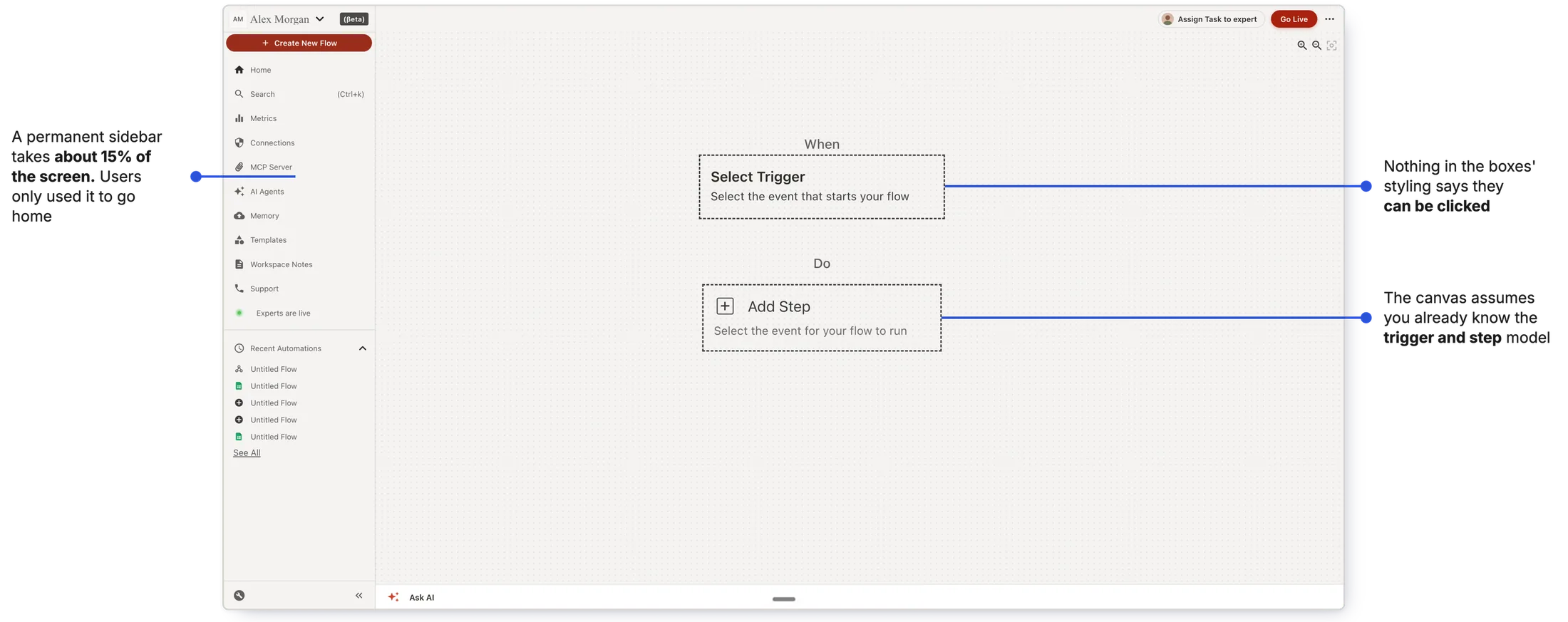
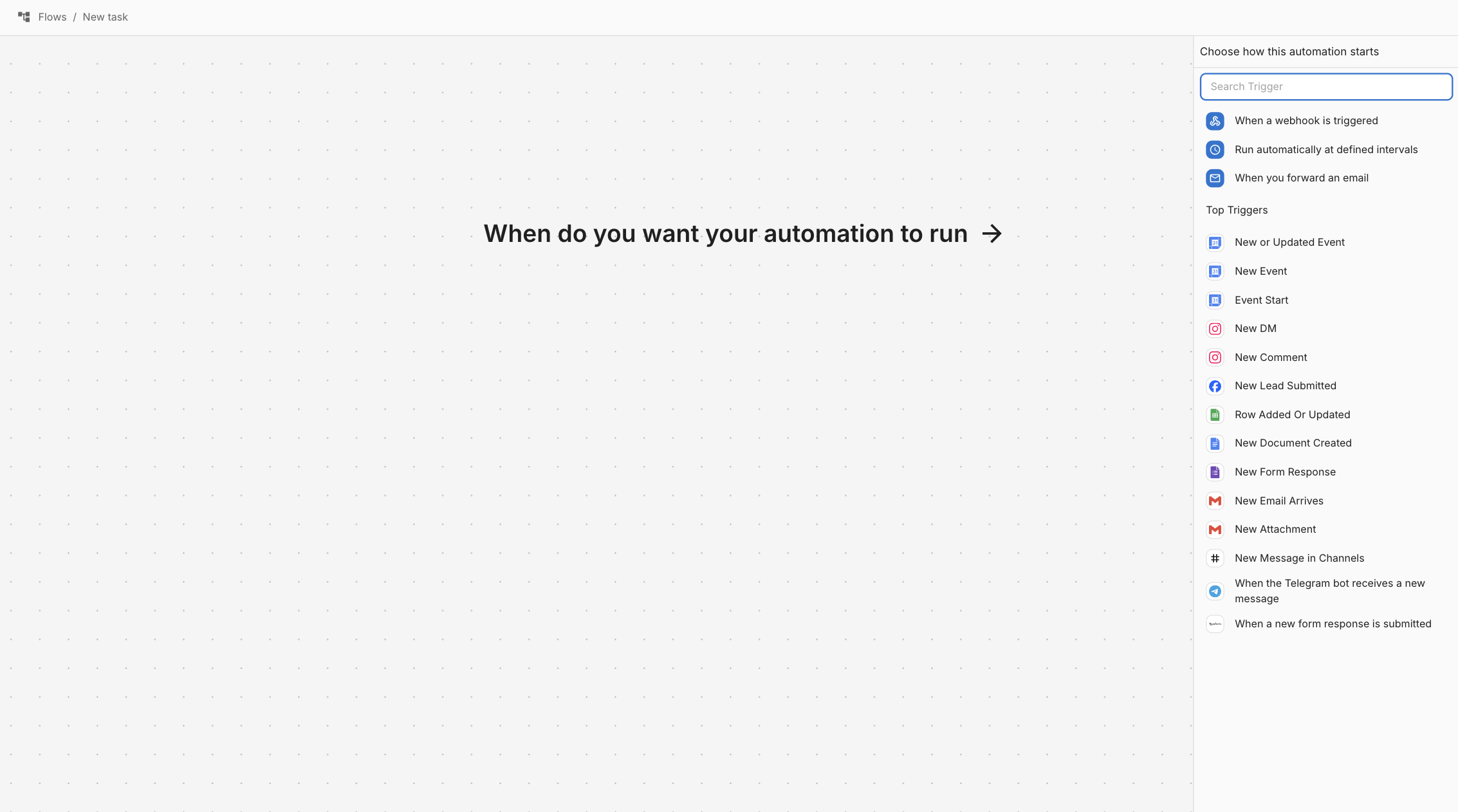
Start: the blank canvas gave users nowhere to begin
What happened: users clicked Create new flow, landed on the canvas and stopped. Non-technical users, with no other automation tool to compare it to, stopped most often.
Why: the canvas assumed users already knew how automation works. The first step was on screen, but nothing pointed them to it.
Why it mattered A user who can't take the first step never builds a workflow, and never sees what viaSocket can do.
The goal was a canvas that tells a new user how to start, and where they're heading.
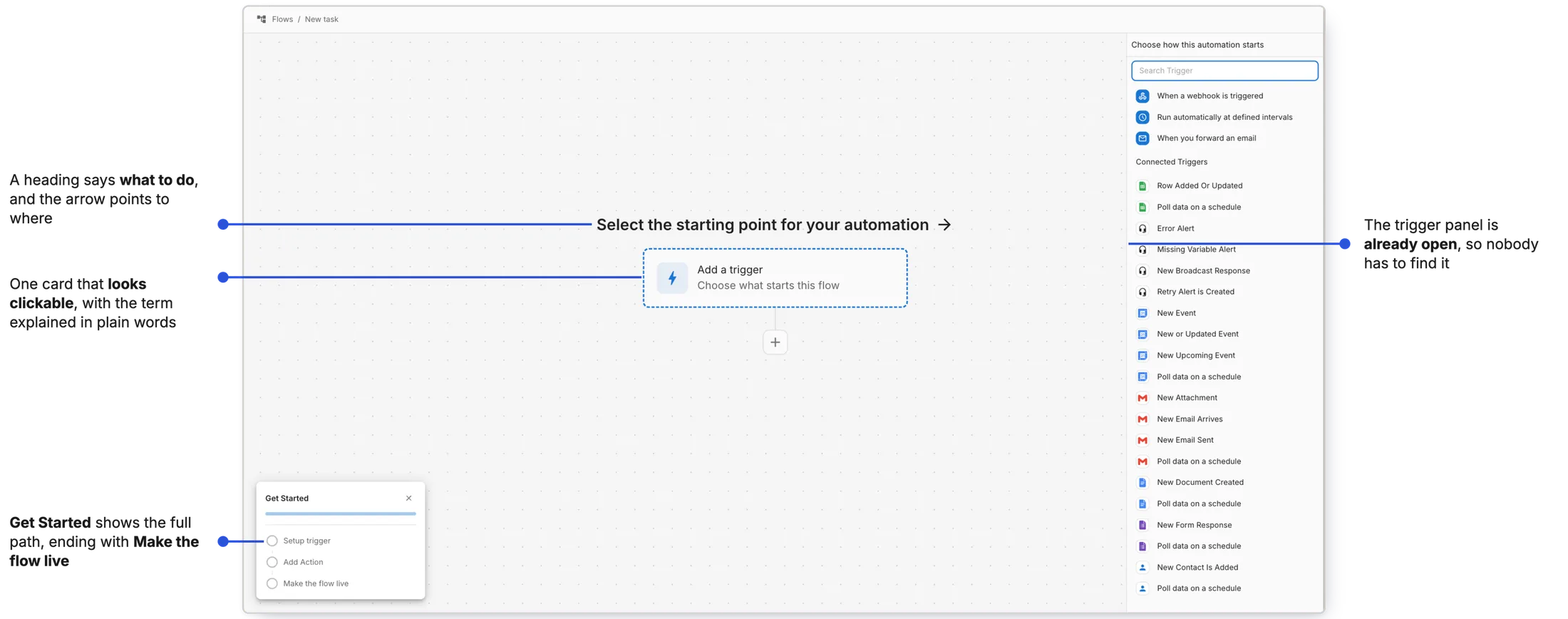
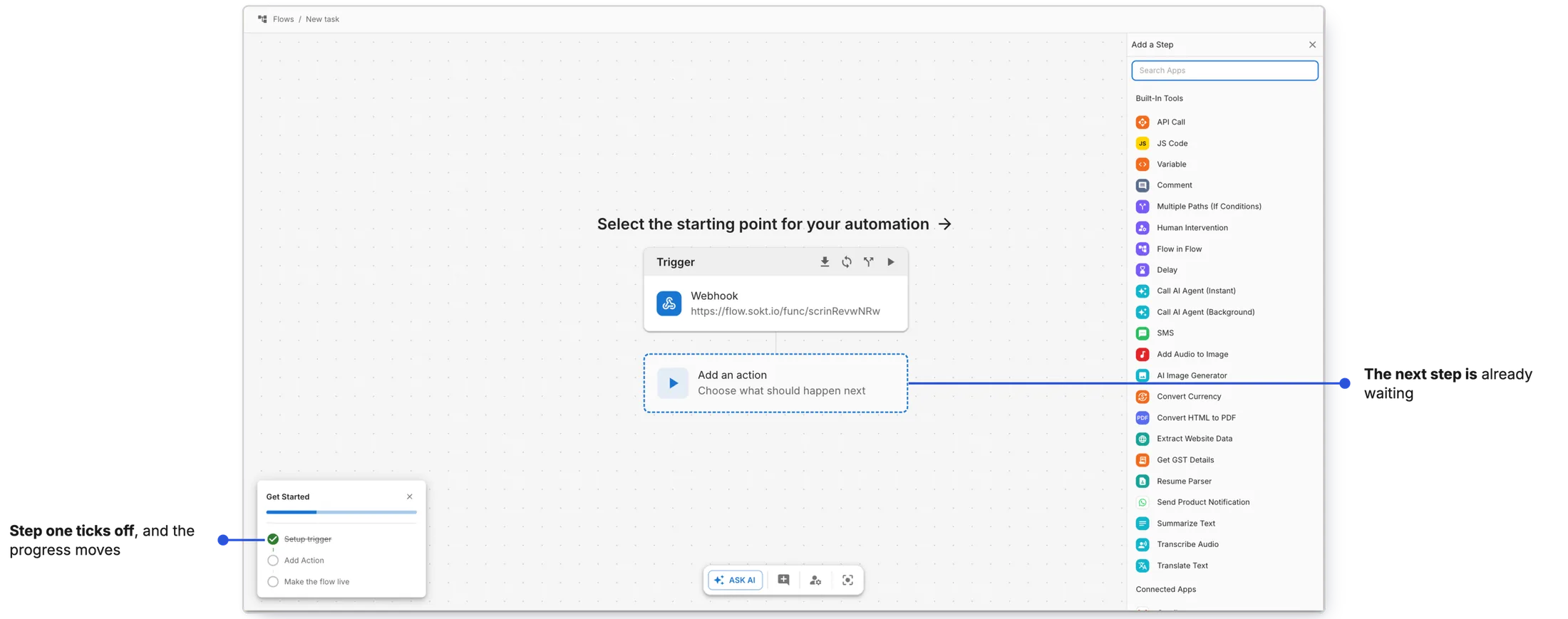
Early explorations
Go live: users thought a built workflow was a running workflow
What happened: around half of first-time users built a workflow but never made it live. The same pattern kept showing up across different groups of users.
Why: they didn't know a workflow has to be made live before it runs. To them, building it was the last step.
Why it mattered A workflow that never goes live does nothing, and users who think it's running blame the product when nothing happens.
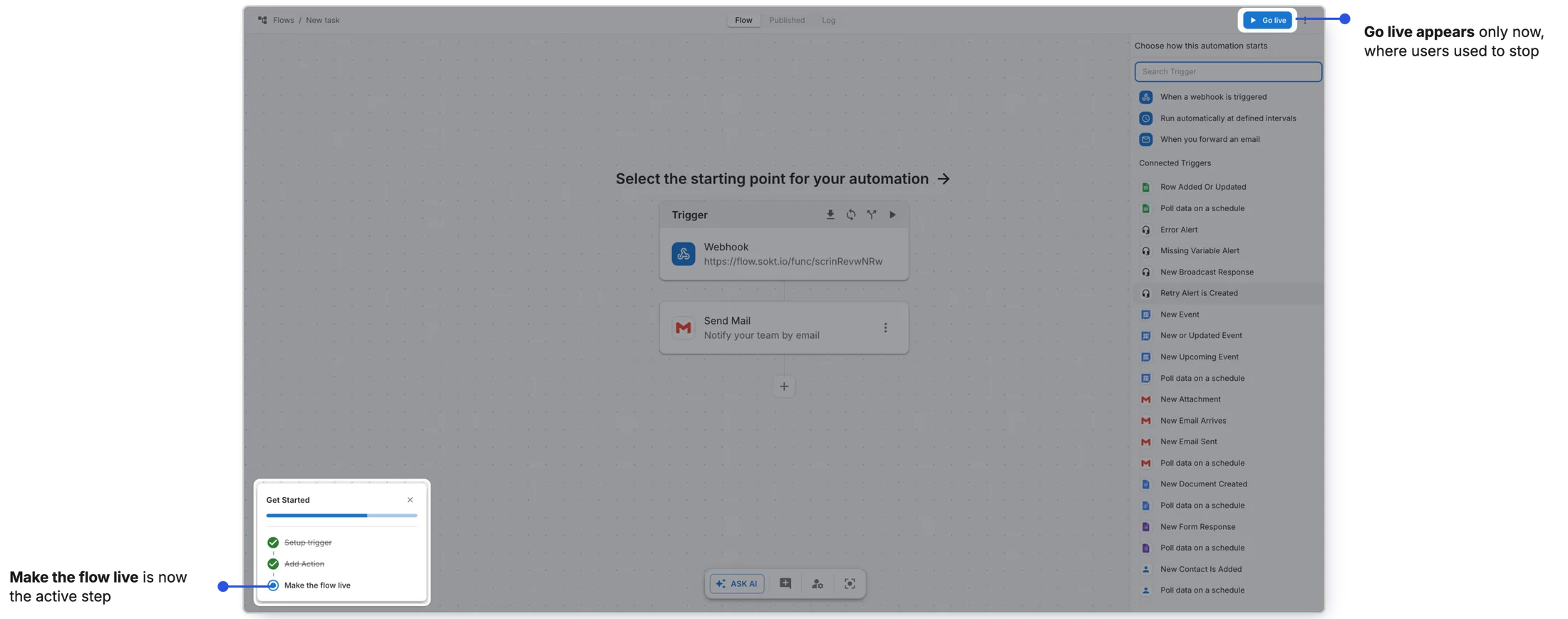
Make going live a step you can see coming, and a state you can see
The checklist names it. The Go live button arrives when it's needed, right where users used to stop. And Live is a visible state once it's done.
Change: editing a live workflow meant losing sight of the one that worked
What happened: teams keep adjusting live workflows, and lost sight of the working version the moment they started editing. On one client call, a team had spent 30 to 40 minutes on an edit and couldn't compare it with the live one.
Why: the canvas showed one version at a time. Seeing the live version again meant throwing the edit away.
Why it mattered Without the working version to refer to, teams hesitate to improve workflows that already work.
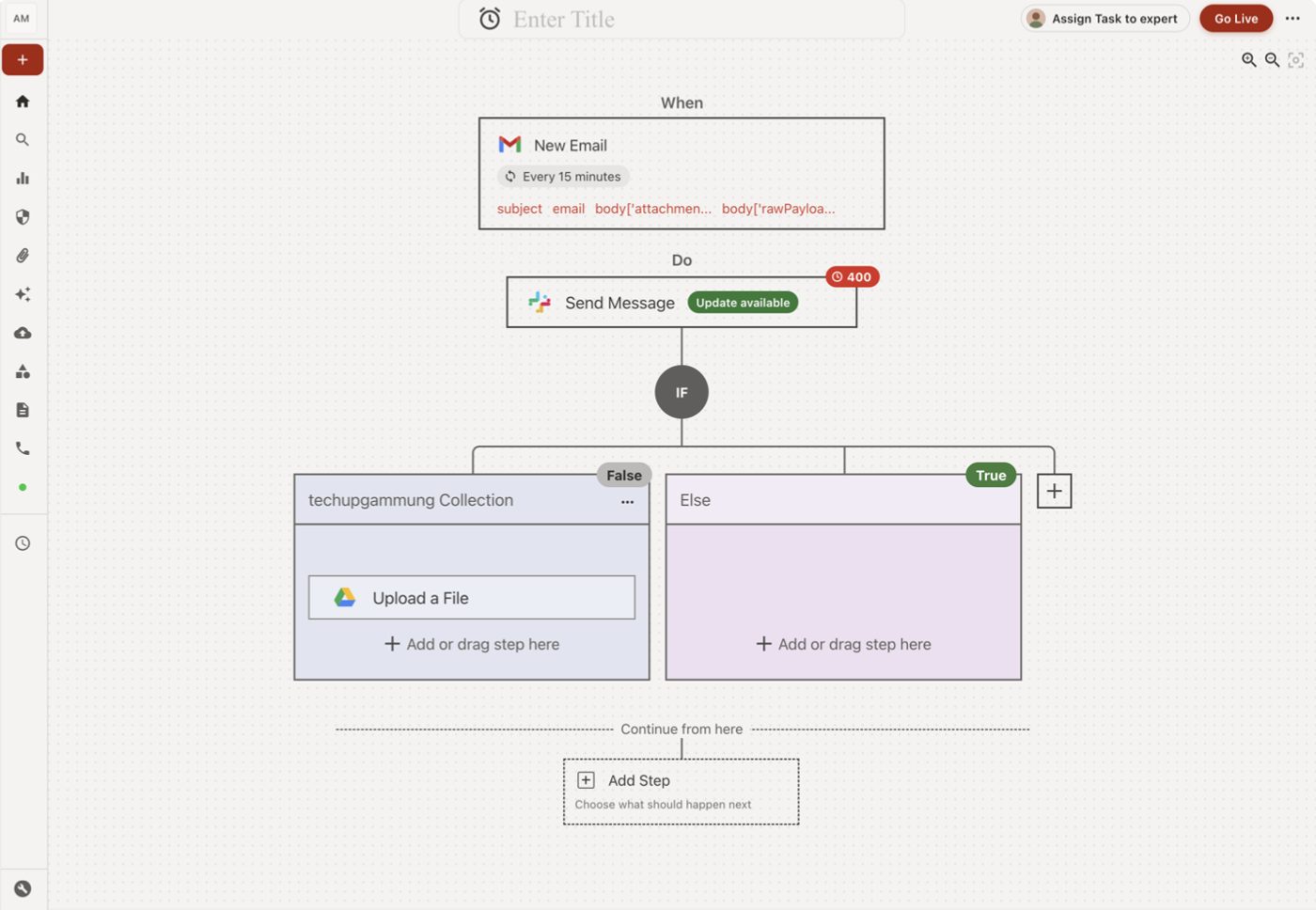
Keep the live version one click away from the edit
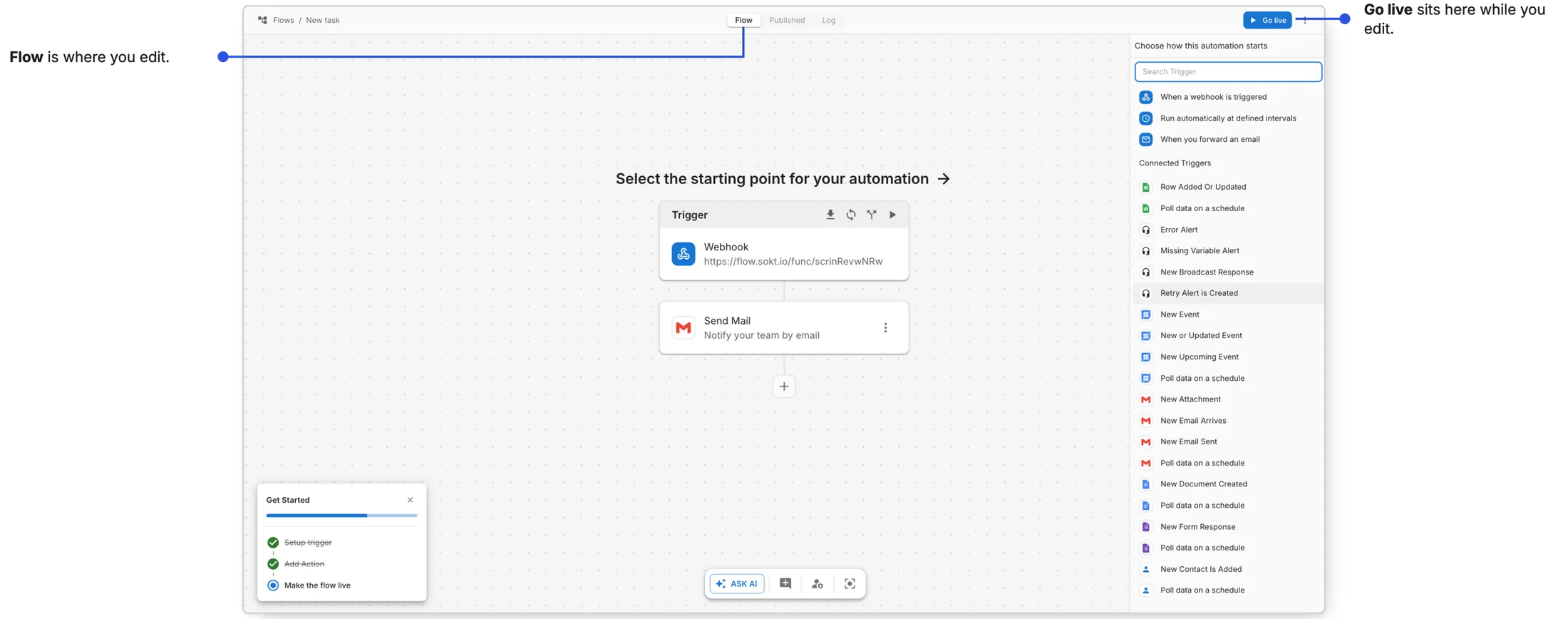
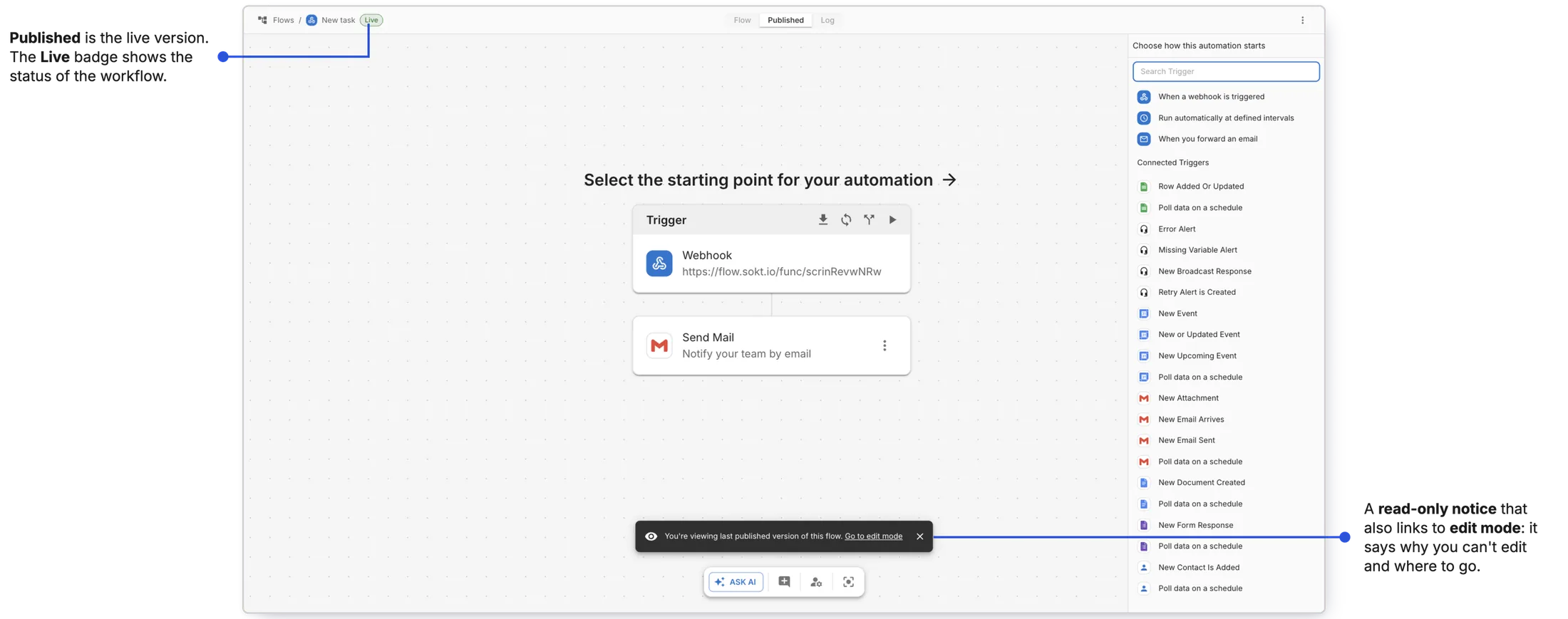
Flow is where you edit. Published is the live version, with a Live badge and a read-only notice that links back to edit mode.
Check: users didn't know the built-in way to see if a workflow worked
What happened: when I asked users in hackathons, workshops and live sessions whether their workflow was working, they opened the app it writes to. Very few opened Run history.
Why: they didn't know about the built-in way to check. The app tells you data arrived; it doesn't tell you which run failed, or why.
Why it mattered When a workflow broke, users couldn't see why, and the product's own success and failure signal went unused.
Put the run record next to the work
The run history chip stays put, and a Log tab sits beside Flow and Published. Each step shows its time and status, so a failure points to the step that caused it.
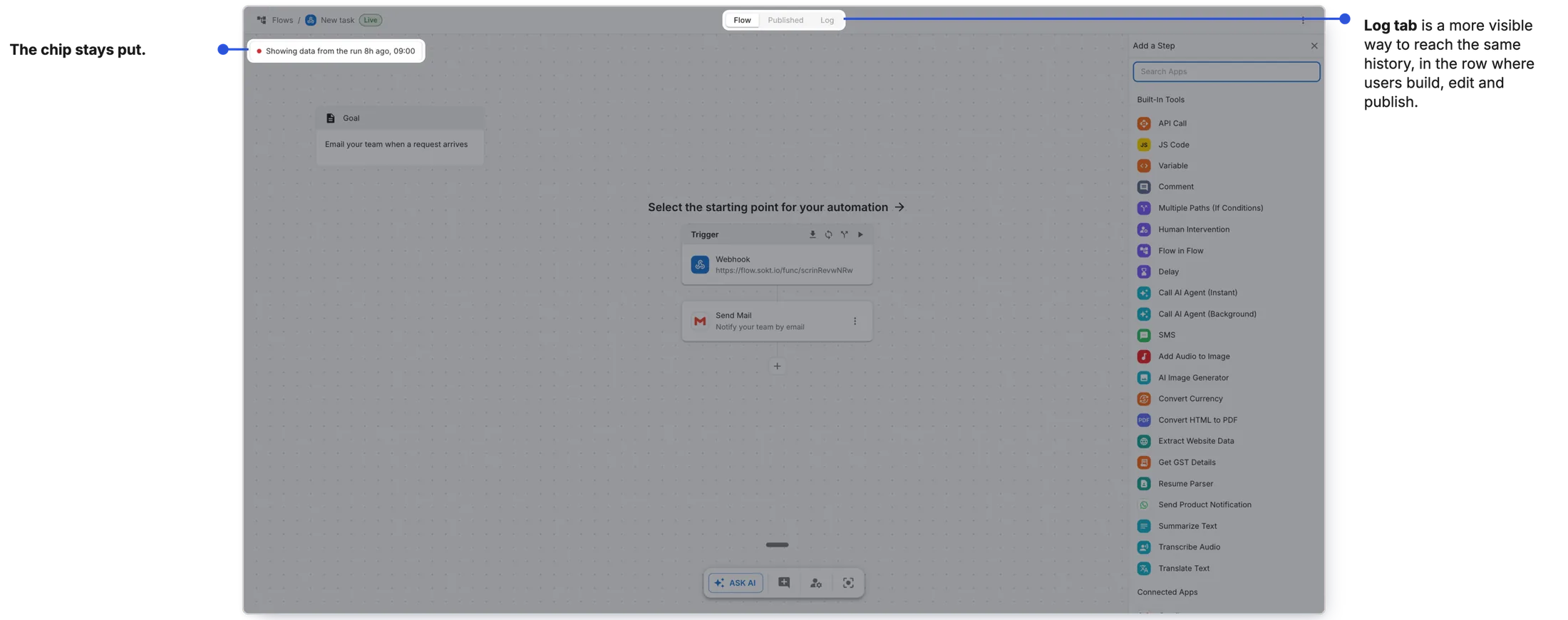
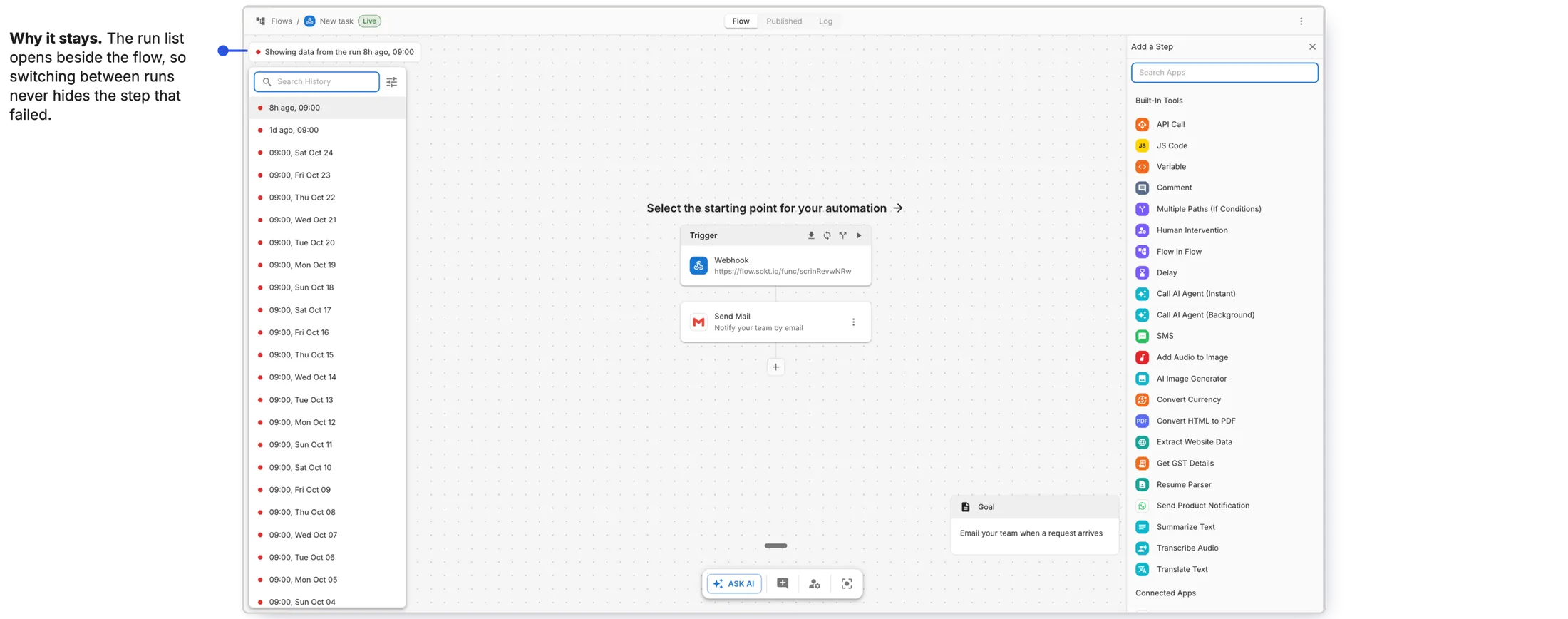
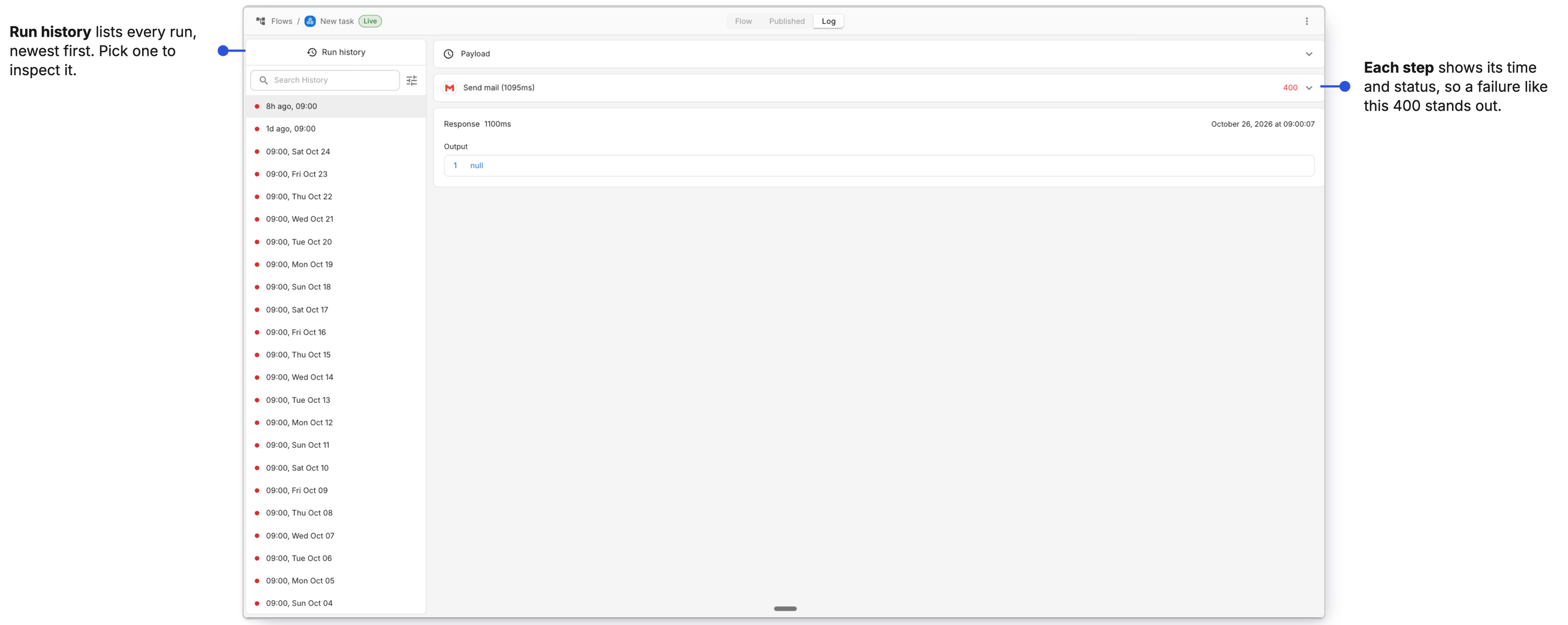
Build it in Flow. Trust what's live in Published. Check it works in Log.
Share: understanding a workflow meant reading every step
What happened: when a teammate opened someone else's workflow, they had to read it step by step to understand what it did.
Why: nothing summarised what a workflow was for, and the existing comments were hard to find and hard to use.
Why it mattered When only the builder can read a workflow at a glance, every handover depends on that one person.
Give a workflow a way to explain itself
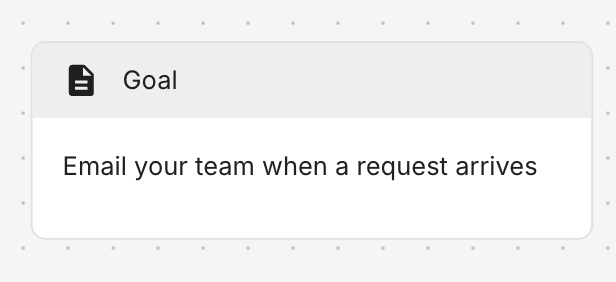
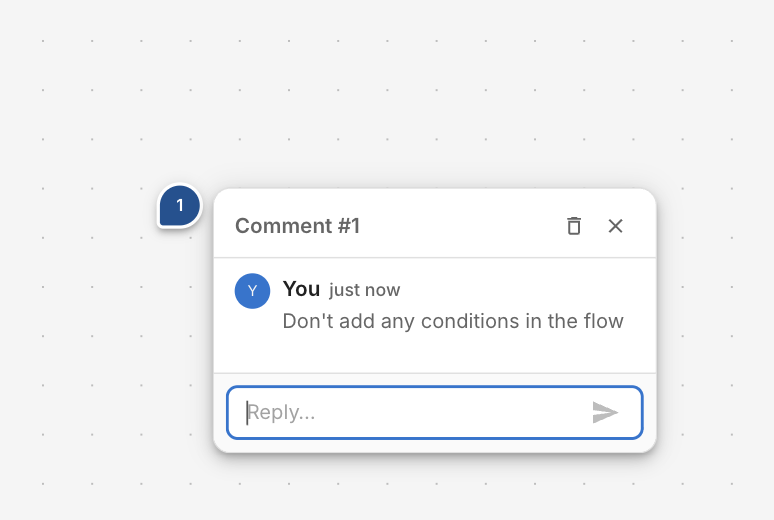
A one-line goal card says what the workflow does. Comments are pinned to the exact step they're about, and teammates reply in place.
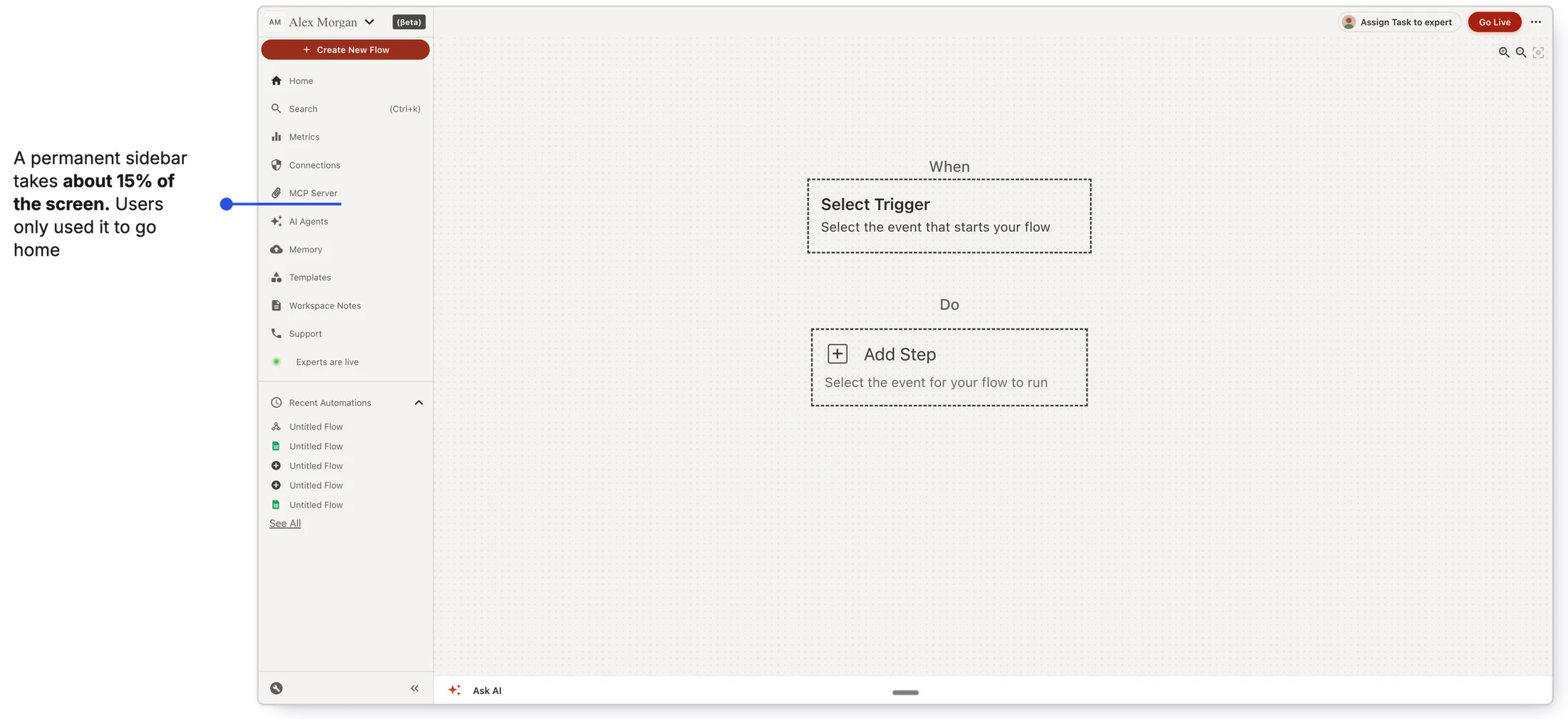
A sidebar nobody used
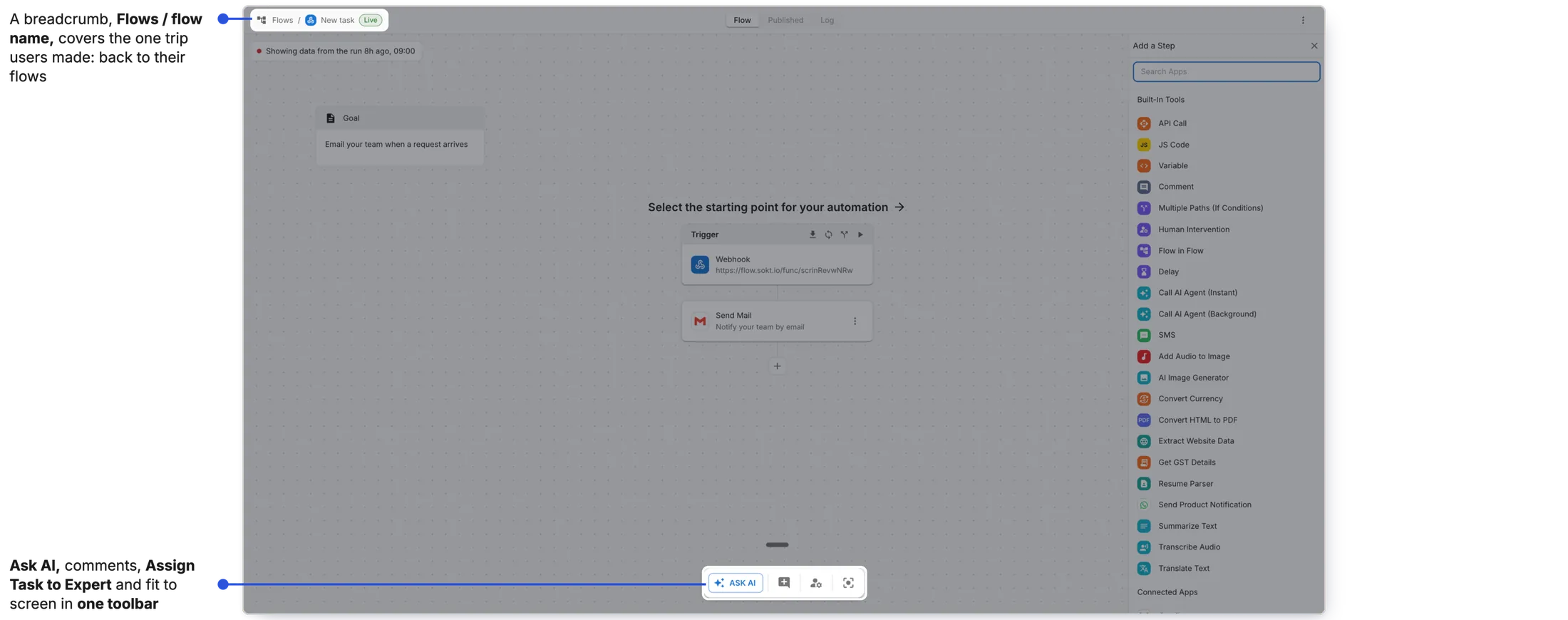
It took 15% of the screen. Users only used it to go home, and the tools they needed sat in three corners.
One breadcrumb, one toolbar
A breadcrumb covers the trip home. Every tool now sits together at the bottom.
Every fix was the same move: show the user what the product already knew, at the moment they needed it.
Impact
Before launch, about half of new signups (50–60%) made drafts and never made a workflow live. After launch, around 40–50% of new signups make their first workflow live, according to PostHog. In the 200+ session recordings I reviewed after launch, most workflows I watched went live. That is my observation, not a measured rate.
Reflection
A good experience is often the product saying what it already knows. Whether a workflow was live, which version was running, whether a run had worked: all of it was in the system and none of it was on screen. A wrong mental model isn't a user error. It's a state the product forgot to show.
- Half of first-time builders left their workflow in draft; 25 to 30 of 50 thought built meant running.
- 200+ builders observed, 50+ recordings and 27 interviews showed five places the canvas stayed silent.
- I made the canvas say what it knew: where to start, when to go live, what's live, whether it worked, what it's for.
- After launch, 40–50% of new signups made their first workflow live.